
Design a calm and functional home office that supports concentration, comfort, and a healthier separation between work and personal life. You do not need a large room or expensive furniture—small improvements to ergonomics, lighting, organization, and daily routines can make a noticeable difference.
Start With How You Actually Work
Before buying new furniture or decorative accessories, think about what you normally do during a working day.
Someone who spends most of the day on video calls has different needs from someone who works with documents, drawings, multiple monitors, or a laptop for only a few hours.
Consider:
- How many hours you usually spend at the desk
- Whether you use a laptop or desktop computer
- How much desk space you actually need
- Whether you frequently make video calls
- Which supplies you use every day
- How much privacy and quiet your work requires
A functional home office should support your real routine rather than simply look attractive in photographs.
Prioritize Ergonomics
Comfort becomes increasingly important when you spend several hours at a desk.
Start by adjusting your chair so your feet can rest comfortably on the floor or on a stable footrest. Your shoulders should remain relaxed while using the keyboard and mouse.
The top portion of your computer screen should generally be close to eye level so you do not constantly bend your neck downward.
Laptop users who work for long periods may benefit from raising the laptop and using a separate keyboard and mouse.
Small ergonomic problems may seem insignificant during the first hour of work but become much more noticeable after an entire day.
Position the Desk Carefully
Where you place the desk can affect both comfort and concentration.
If possible, choose an area where people do not constantly walk behind or beside you. A quieter corner can make it easier to stay focused, especially when several people share the home.
Try to avoid placing the computer screen directly in front of a very bright window because strong contrast can make the screen uncomfortable to view.
Placing the desk beside a window often provides natural light without creating as much glare.
Use Natural Light Without Creating Glare
Natural light can make a workspace feel more pleasant and less confined.
However, too much direct sunlight can create reflections on the screen and make it difficult to work comfortably.
Curtains, blinds, or a slight change in desk position may be enough to control glare.
For darker rooms or evening work, use a desk lamp or other focused light that illuminates the work area without shining directly into your eyes or reflecting strongly from the monitor.
Reduce Visual Clutter
A crowded desk can make even a large workspace feel uncomfortable.
Keep frequently used items within reach and store occasional supplies elsewhere.
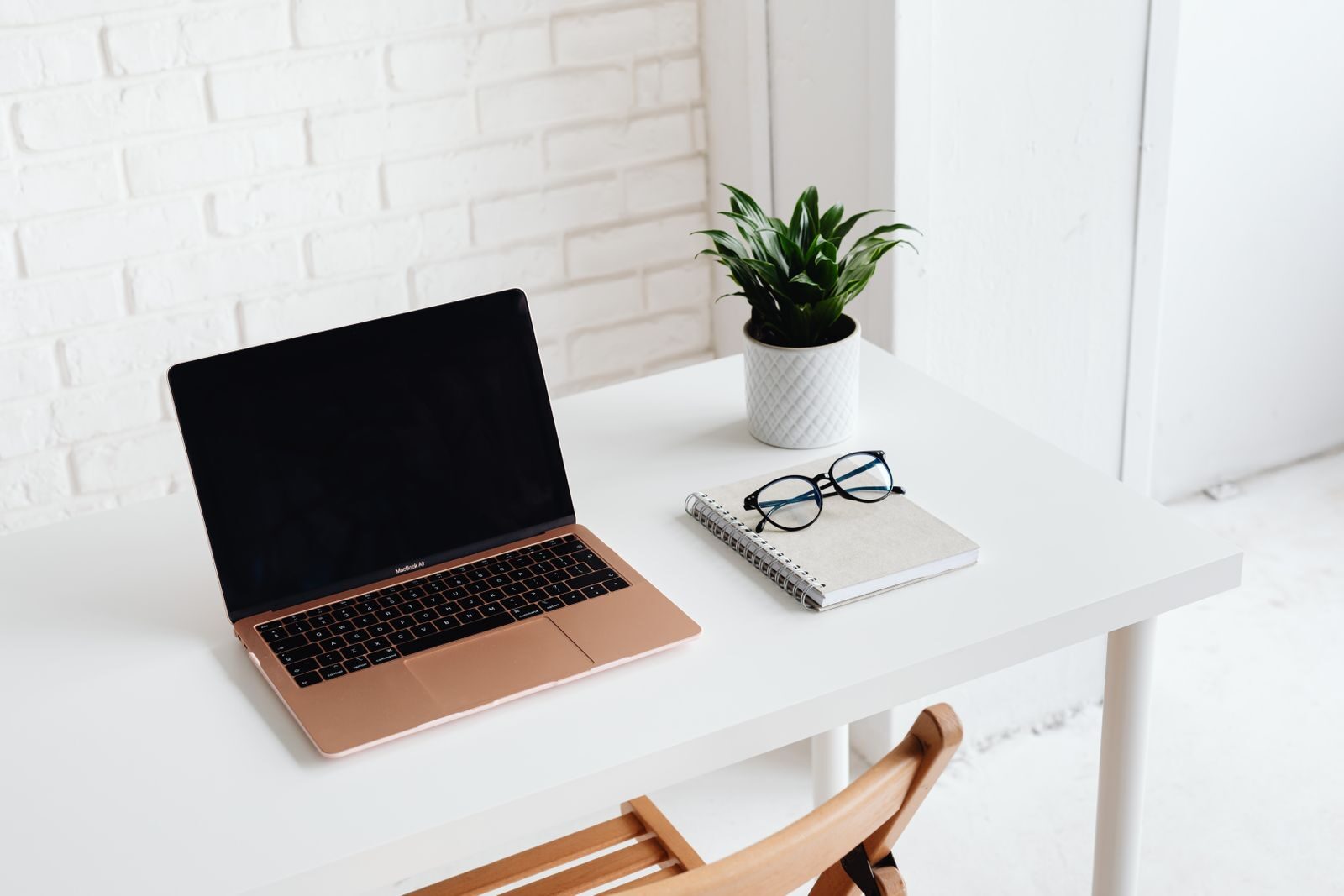
Your desk might only need:
- Computer or laptop
- Keyboard and mouse
- Notebook and pen
- Phone
- Water
- One or two regularly used accessories
Documents, spare cables, chargers, office supplies, and equipment that you rarely use can usually be stored in drawers, boxes, shelves, or simple organizers.
You do not need an empty desk. The goal is to remove objects that repeatedly get in the way.
Organize Cables
Charging cables, extension cords, monitor cables, and adapters can quickly make a small home office look more chaotic than it really is.
Start by removing cables that are no longer used.
Reusable cable ties, clips, or a simple cable tray can keep necessary cords together and prevent them from spreading across the desk or floor.
Avoid tightly bending cables or placing them where chair wheels repeatedly roll over them.
If you use several electronic devices, make sure power strips and extension equipment are appropriate for the devices connected to them.
Give Frequently Used Items a Permanent Place
A workspace becomes easier to maintain when everyday objects have an obvious place.
For example:
- Keep pens in one container.
- Store chargers in one drawer.
- Use a tray for documents that still require attention.
- Keep completed paperwork somewhere separate.
- Store headphones on a hook or designated area.
This reduces the amount of time spent searching for small items and makes it easier to reset the workspace at the end of the day.
Control Background Noise
Some people work comfortably with background activity, while others lose concentration easily.
If noise is a problem, simple changes may help.
A closed door is often the easiest solution when one is available. Rugs, curtains, upholstered furniture, and other soft materials can also reduce echoes in rooms with many hard surfaces.
Headphones can be useful when you need additional concentration, although you may still need to remain aware of alarms, children, visitors, or other important sounds in the home.
Keep Work and Personal Items Separate
When possible, avoid allowing the desk to become storage for unrelated household items.
Keys, shopping receipts, unopened mail, clothing, dishes, and other everyday objects can gradually take over the workspace.
Even in a small apartment where one desk serves several purposes, a simple container or drawer can make it easier to move work materials away when the workday ends.
The separation does not need to be perfect. It only needs to make switching between work and personal time easier.
Create a Comfortable Video Call Area
If video meetings are part of your work, check what your camera sees before rearranging the entire room.
A simple, uncluttered background is usually sufficient.
Position the camera near eye level when possible and avoid sitting with a very bright window directly behind you.
You do not need elaborate studio lighting for ordinary calls. Even lighting from the front or side is usually more useful than strong light behind your head.
Keep frequently used meeting equipment, such as headphones or a microphone, somewhere easy to reach.
Add Personal Items Without Overcrowding the Desk
A calm office does not need to look empty or impersonal.
A small plant, photograph, artwork, or favorite object can make the workspace more pleasant.
The key is moderation.
If decorative objects begin taking space needed for your keyboard, documents, or everyday equipment, move some of them to a nearby shelf instead.
Create an End-of-Day Routine
Working from home can make it difficult to recognize when the workday has actually ended.
A short shutdown routine can create a clearer transition.
At the end of the day:
- Save and close important files.
- Close unnecessary browser tabs.
- Write down unfinished tasks for tomorrow.
- Put loose papers and supplies away.
- Remove cups or dishes.
- Turn off the work light or monitor.
This routine does not need to take more than a few minutes.
The goal is to give your brain a consistent signal that work has finished.
What If You Do Not Have a Separate Office?
A dedicated room is useful but not necessary.
A functional workspace can be created in a bedroom, living room, dining area, hallway alcove, or another small part of the home.
When space is limited, focus on creating a recognizable work zone.
This might mean using the same chair and section of a table each day, keeping work equipment in one portable container, or putting the laptop and supplies away once work is finished.
Even a small visual boundary can help separate working time from the rest of your day.
Quick Home Office Checklist
- Adjust your chair and screen before buying decorations.
- Position the desk to reduce glare and distractions.
- Use natural and artificial light comfortably.
- Keep only frequently used items on the desk.
- Organize cables and remove unused ones.
- Give everyday supplies a permanent storage location.
- Reduce distracting background noise where possible.
- Keep unrelated household clutter away from the workspace.
- Create a simple setup for video calls.
- Use a short routine to mark the end of the workday.
Conclusion
A calm and functional home office is less about buying expensive furniture and more about removing everyday sources of discomfort and distraction.
Start with ergonomics, lighting, desk placement, and organization. Once those basics work well, add storage and personal details that make the space comfortable without making it crowded.
Most importantly, create a simple end-of-day routine so the workspace does not make your entire home feel like an extension of the office.
Find more practical everyday guides in Lifestyle Guides.